
Complete Technical SEO Checklist for 2026 (Step-by-Step Guide)

Senior SEO Expert

Many websites publish helpful content but still struggle to achieve strong search visibility because of hidden technical issues. These problems often prevent search engines from properly crawling and understanding pages. In fact, many studies suggest that more than 45 percent of organic ranking limitations come from technical problems rather than content quality.
Do you know that even small errors can significantly affect how search engine algorithms evaluate a website? Technical SEO involves improving crawlability, indexing signals, site speed, and overall architecture so information remains properly structured.
When websites follow clear SEO patterns, both user experience and search visibility improve. In 2026 modern optimization, content quality and technical foundations both are equally important. This guide provides a detailed complete technical SEO checklist to identify issues that may have a primary impact on rankings.
How to Conduct a Technical SEO Site Audit
Begin a technical site audit by examining how search engines crawl, index, and interpret your website. Start by using reliable SEO tools to run a full site crawl and collect important metrics related to indexing status, page performance, internal links, and structured data.
During this process you will likely encounter various errors, warnings, and performance signals that may affect search visibility. The next step is to review the key findings carefully and understand how to fix the issues that have the biggest impact on rankings.
Focus on practical tactics such as improving crawlability, fixing broken pages, and optimizing performance signals. After identifying problems, prioritize fixes based on their impact so the most critical improvements are addressed first.
The below checklist points explain the most important areas to review during a complete technical SEO audit.
Website Crawling and Indexing Checklist
A strong crawling and indexing setup is the foundation part of any SEO checklist. If search engines cannot access or understand your pages, ranking improvements become difficult no matter how good the content is. These checks focus on the core technical optimization factors that influence how pages are discovered, evaluated, and indexed.
Check robots.txt and Crawl Directives
Your robots.txt file controls which parts of a website search engines can crawl. A small mistake here can block important pages.
For example, if a product or guide page is accidentally disallowed, it will never appear in search results and traffic can be directly affected. According to audit reports, nearly 10 percent of indexing issues occur due to incorrect crawl directives. Reviewing robots.txt regularly makes perfect sense because it helps maintain the correct crawl status and prevents unnecessary restrictions.
Submit and Validate XML Sitemaps
An XML sitemap provides a structured list of URLs so search engines can discover content faster. It acts as a set of signals that guide crawlers toward important pages.
New article published → Sitemap not updated → Search engines discover page slowly.
Many websites add dozens of new pages each month, so sitemap validation becomes an important part of a technical SEO checklist. Submitting the sitemap in Google Search Console helps verify indexing status and reveals warnings that may require attention.
Make Sure Important Pages Are Indexable
Key pages should always remain accessible to search engines without restrictive tags such as no-index or blocked directives.
If a service page accidentally contains a no-index tag, its ranking potential will immediately drop even though the content is valuable. Checking meta tags, canonical signals, and crawl permissions is all you need to confirm that critical pages can appear in search results.
Fix Pages That Are Crawled but Not Indexed
Sometimes search engines crawl a page but decide not to include it in the index. This usually appears in Search Console with the status “Crawled currently not indexed.”
Impact
- Valuable content remains invisible in search
- Ranking potential reduced
- Site authority signals weakened
Real data show that 10 to 15 percent of pages on large websites fall into this category. Studying the insights behind these cases helps adapt content quality, internal linking, and other optimization signals so indexing decisions support growth objectives.
HTTP Status Code and Server Error Checks
Understand how server responses influence search engine crawling because search engines rely on these codes to interpret the condition of a page. Every website must have a clear technical monitoring plan to review response codes and server behavior.
As per common audit findings, incorrect status signals can confuse crawlers and limit indexing itself, which makes regular checks a critical part of technical SEO checklists.
Fix 404 and Soft 404 Errors
A 404 error means the requested page no longer exists, while a soft 404 happens when a page appears empty but still returns a normal response. Most of the time this issue occurs after deleting content without proper redirects.
Old product page removed → No redirect added → Visitors and crawlers reach a 404 page.
Impact
- Link equity is lost
- Crawl efficiency affected
- User experience drops
Identify and Resolve 5xx Server Errors
A 5xx error means the server failed to process a request, which can completely lock search engines out of your pages. It may appear due to overloaded servers, hosting problems, or incorrect configurations.
Webmasters suggest that if more than 3 to 5 percent of requests return server errors, crawling frequency may reduce. Fixing hosting issues, monitoring server logs, and stabilizing response codes helps maintain a valid technical structure so indexing signals remain reliable.
Technical SEO Checklist Template (Free Resource)
Download the updated 2026 Technical SEO Checklist PDF and use it to audit your website step-by-step.
Download Free Checklist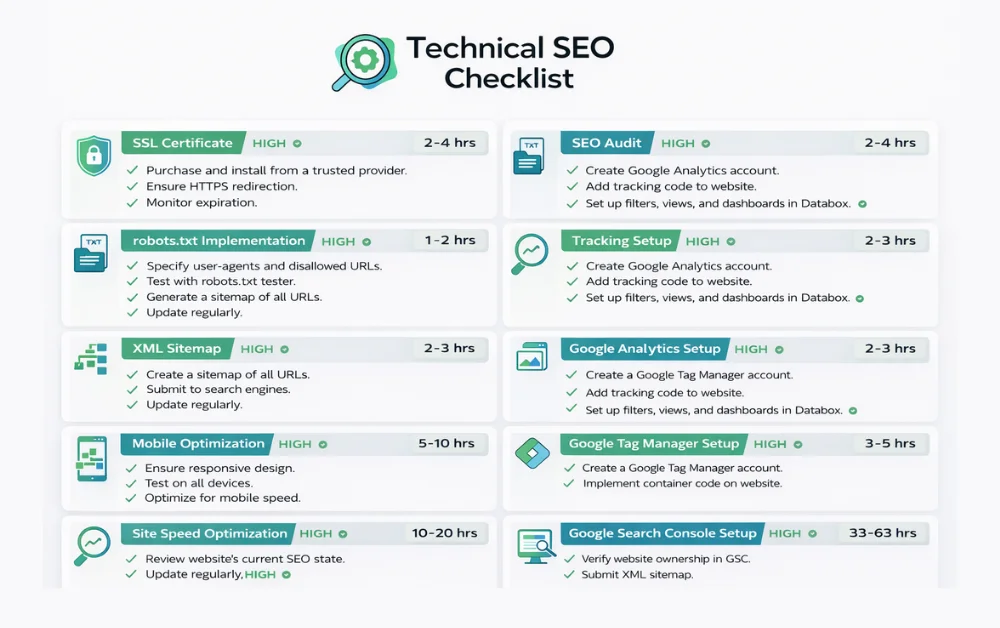
Website Architecture and Internal Linking
Did you know that a well-planned site structure can dramatically improve your ability to rank? For both old or new site seo rankings, there are many important checks to optimize how search engines crawl and understand your pages. Detailed Technical SEO audits often reveal findings showing missed opportunities in internal links and page hierarchy.
Improve Internal Linking for Maximum Crawlability
Internal links help search engines discover and index content efficiently.
How to implement this? For example, a blog post at example.com/seo-tips can link to a cornerstone page like example.com/technical-seo-checklist. Not every page may need links, but ensuring a number of pages connect logically boosts crawl depth and improves ranking signals.
Many audits reveal sites with dozens of unlinked pages that limit the ability to rank in competitive niches.
Find and Fix Orphan Pages
Orphan pages are those with no internal links pointing to them, making them invisible to search engine bots.
Assume a scenario where a guide at example.com/old-guide exists but is not linked from the homepage or category pages.
Impact: It is crawled less frequently and its ranking potential is wasted.
Resolving orphan pages by adding contextual links or navigation entries is a straightforward way to recover value and strengthen the overall site structure. This is often overlooked but provides significant SEO benefits.
Core Web Vitals and Page Speed Optimization
Keep performance optimization in focus because website page speed and Core Web Vitals directly influence user experience. These technical terms appear more often in modern SEO discussions because Google uses them as part of page quality assessment.
This aspect of technical refinement focuses on how fast pages load and respond, which helps improve engagement and generate good results in Google search rankings. Let’s understand the main performance metrics that websites should monitor.
Improve LCP, CLS, and INP Metrics
Core Web Vitals measure how users experience page performance. To aim for stable and fast performance, focus on the following areas.
Largest Contentful Paint (LCP)
This metric evaluates how quickly the main content becomes visible. For example, a slow loading hero image on a homepage can delay page display and reduce engagement.
Cumulative Layout Shift (CLS)
This measures visual stability. A common scenario is when ads or images load late and push text downward, which disrupts reading and weakens the overall user experience.
Interaction to Next Paint (INP)
This evaluates responsiveness when a visitor clicks or interacts with the page. If buttons or navigation menus respond slowly, users may leave before completing an action. Optimizing scripts and reducing heavy code can significantly improve these metrics.
Mobile Optimization and Mobile-First Indexing
In 2026 SEO best practices recognize that Google prioritizes mobile versions of websites when evaluating pages for ranking. To achieve mobile search success, every page must deliver an experience that works across all devices.
This includes fast loading pages, responsive layouts, and navigation that feels seamless for users on smaller screens. When websites follow mobile performance benchmarks, the output is stronger engagement and a better chance to win visibility in competitive search results.
Duplicate Content and Canonicalization Checks
Use clear signals to manage duplicate content issues because search engines often struggle when multiple pages contain similar content. Proper canonicalization is considered one of the best practice methods to guide search engines toward the correct page.
Use Canonical Tags Correctly
The canonical tag acts as an HTML element that tells search engines which target URL should appear in search results.
For example, if both example.com/product and example.com/product?ref=homepage show the same content, the canonical should point to example.com/product.
Without this guidance, search engines might choose the wrong version for indexing. Google Search Console often highlights duplicate pages as an indication of canonical issues.
Handle Parameter URLs and Duplicate Pages
Parameter URLs often create duplicate content issues because multiple URL variations may show similar content. This situation increases crawling complexity and may lead search engines to index the wrong version of a page.
Example condition
- example.com/shoes
- example.com/shoes?color=black
Both URLs display the same product page, which creates duplicate versions.
Potential issue
Search engine crawlers detect both pages → indexing signals split → ranking signals weaken.
Recommended approach
Add a canonical HTML element pointing to the main target URL such as example.com/shoes so search engines clearly understand the preferred version.
Structured Data and Schema Markup Checklist
The Schema Markup checklist helps websites achieve better content understanding and increases the chances of earning rich results in modern search.
Many audits have noticed that pages without structured data often miss opportunities to appear in enhanced search features. You should set it up carefully to identify key details like products, articles, or events.
Following this concept can make pages more attractive to users and improve search visibility.
Key checklist points
Choose the right schema type
Select a vocabulary that matches your content, such as Article, Product, FAQ, or HowTo.
Implement structured data using JSON-LD
This method is recommended and keeps the markup clean, clear, and compatible with search engines.
Validate your markup
Use Google Rich Results Test or Schema Validator to ensure the code is correct and shows no errors.
Enhance rich result appearance
Structured data highlights important information and helps pages stand out with rich results such as stars, ratings, or FAQ sections.
Monitor and update regularly
As content evolves, expand or refine schema to maintain accuracy and relevance.
Optimizing Technical SEO for AI Overviews and Modern Search
To rank in modern search, your technical SEO audit must account for AI overviews and Answer Engine Optimization (AEO). Search results have become more complex with AI generated summaries and conversational search interfaces.
Optimizing for these features gives your content extra visibility and increases the chance to show up in AI-driven answers such as ChatGPT responses and Google AI Overviews.
Following a structured approach that focuses on headings, entities, and contextual relationships allows pages to communicate clearly with AI systems.
It is also important to strengthen EEAT signals throughout your content so expertise, authority, and trust remain clear.
Maintaining a structured mix of semantic content and technical signals improves the chances that pages will appear in AI summaries and advanced search results.
Tools Needed to Perform a Technical SEO Audit
Performing a thorough technical SEO audit does not require dozens of tools. You only need the right ones to identify critical issues and optimize your website effectively.
For a deep technical SEO analysis, using a powerful crawler is essential. Some of the best website audit tools include the following.
| Tool | Purpose | Notes |
|---|---|---|
| Screaming Frog SEO Spider | Crawl site structure, find broken links, redirects, and duplicate content | Paid version offers advanced features |
| Sitebulb | Visual technical audits and actionable recommendations | Useful for in-depth reporting |
| Ahrefs Site Audit | Identify crawlability and indexing issues | Subscription required |
| Google Search Console | Monitor indexing, search performance, and coverage errors | Free and essential |
| Google Analytics | Analyze user behavior and engagement | Free |
| PageSpeed Insights / Lighthouse | Check page speed and Core Web Vitals | Free |
| Chrome Extensions | Quick on-page checks and SEO insights | Useful with limited tool access |
Final Thoughts
This comprehensive technical SEO checklist helps identify and fix issues that affect crawling, indexing, page speed, and structured data.
Regular audits and targeted fixes improve site performance, user experience, and visibility in modern search.
Following this guide provides a practical roadmap for maintaining a technically strong website that remains competitive as search technology evolves.
Q1: What is a technical SEO checklist?
A technical SEO checklist is a step-by-step guide to identify and fix website issues that affect crawlability, indexing, and page performance.
Q2: How often should I perform a technical SEO audit?
Run a technical site audit every 3–6 months or after major updates to catch errors, warnings, and performance gaps.
Q3: Which tools are best for technical SEO audit?
Use Screaming Frog, Sitebulb, Ahrefs audit tools, Google Search Console, and Google Analytics to track errors, metrics, and technical optimization opportunities.
Q4: How can technical SEO give my website an edge in 2026?
Optimizing site structure, page speed, internal linking, and structured data improves visibility in AI overviews and rich results, helping websites stand out in competitive search results.